
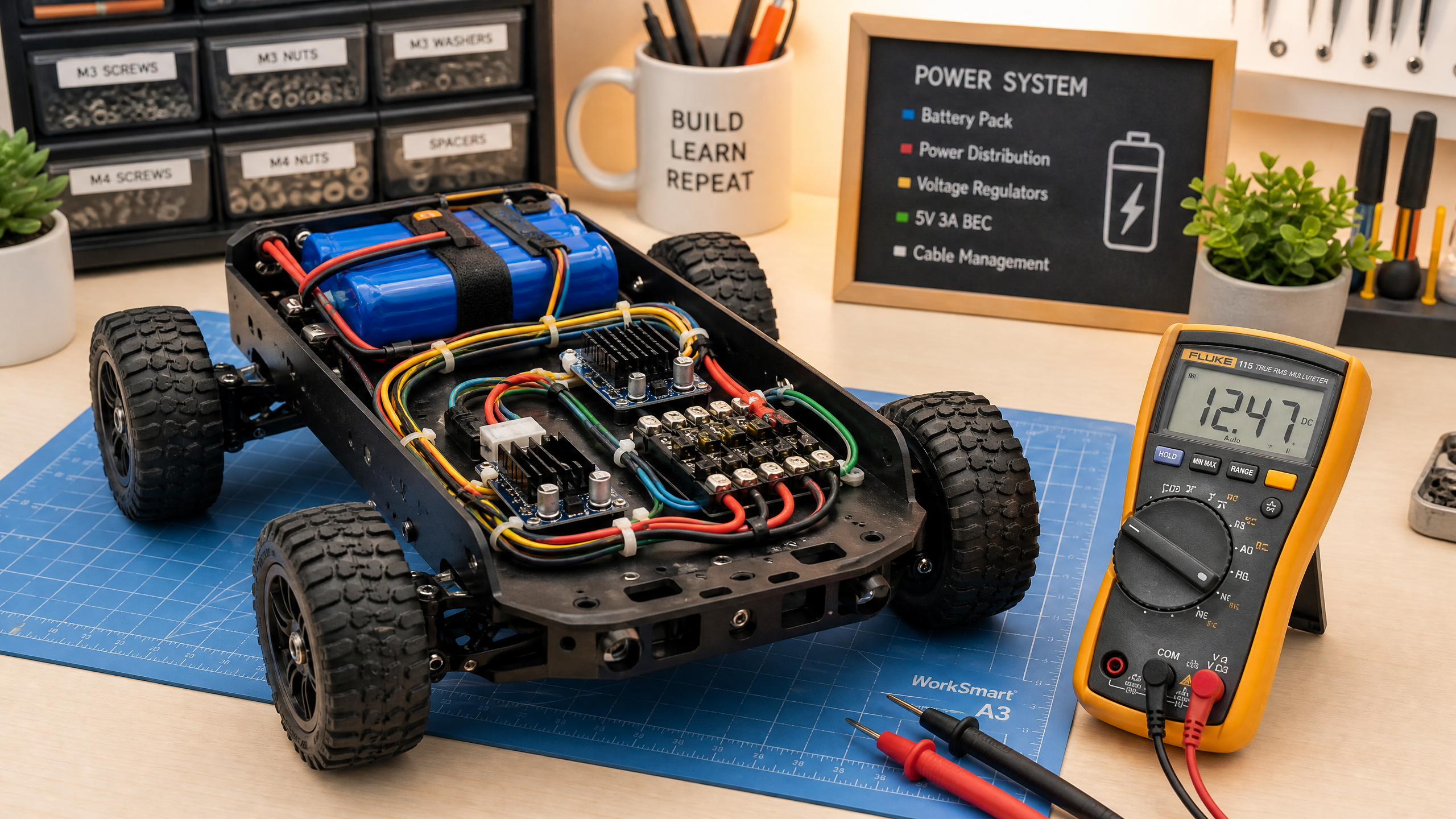
Powering Your Robot: Batteries, Regulators, and Power Distribution
Power is one of the most overlooked aspects of robot design. Get it wrong and your robot behaves erratically or damages itself. This guide covers everything you need to know.
Power system design is one of the most important — and most often neglected — aspects of building a robot. A poorly designed power system causes mysterious resets, erratic sensor readings, motor failures, and in the worst case, fires. Getting it right from the start saves enormous frustration.
Battery Types
LiPo (Lithium Polymer): The most common choice for mobile robots. High energy density, high discharge rates, lightweight. Available in many sizes and configurations.
- Nominal voltage: 3.7V per cell (4.2V fully charged, 3.0V minimum)
- Common packs: 2S (7.4V), 3S (11.1V), 4S (14.8V)
- Capacity: measured in mAh (milliamp-hours)
- C rating: maximum discharge rate. A 2000mAh 20C battery can deliver 40A continuously.
Warning: LiPo batteries can catch fire if overcharged, over-discharged, punctured, or short-circuited. Always use a proper LiPo charger, never discharge below 3.0V per cell, and store at 3.8V per cell.
18650 Li-ion: Cylindrical cells used in laptop batteries and power tools. Safer than LiPo, slightly lower energy density. Good for slower robots.
NiMH: Older technology, heavier, but very safe. Good for beginners who want to avoid LiPo risks.
Voltage Regulators
Your robot likely needs multiple voltage rails:
- 12V or higher for motors
- 5V for Arduino and logic
- 3.3V for some sensors and modules
Linear regulators (e.g., LM7805): Simple and cheap, but inefficient — they dissipate excess voltage as heat. Fine for low-current applications.
Buck converters (switching regulators): Efficient (85–95%), can handle higher currents. Use these for anything drawing more than 500mA.
Battery (12V) → Buck converter → 5V rail → Arduino, sensors
Battery (12V) → Motor driver → Motors (direct)Calculating Power Requirements
Before choosing a battery, estimate your power budget:
| Component | Voltage | Current | Power |
|---|---|---|---|
| Arduino Uno | 5V | 50mA | 0.25W |
| Raspberry Pi 4 | 5V | 600mA | 3W |
| 2× DC motors (running) | 12V | 500mA each | 12W |
| 4× Servo motors | 5V | 200mA each | 4W |
| Sensors (total) | 5V | 200mA | 1W |
| Total | ~20W |
For a 20W robot, a 3S LiPo (11.1V) at 2000mAh provides:
- Energy: 11.1V × 2Ah = 22.2 Wh
- Runtime at 20W: 22.2/20 = ~1.1 hours
Decoupling Capacitors
Always add 100nF ceramic capacitors between VCC and GND on every IC and module. These filter out high-frequency noise from motors and switching regulators that can cause microcontrollers to reset or sensors to give bad readings.
For motors specifically, add a 100μF electrolytic capacitor across the motor terminals to suppress voltage spikes.
Common Mistakes
Shared ground: All components must share a common ground. Floating grounds cause mysterious behavior.
Thin wires: Use wire rated for the current. A 28 AWG wire (common in jumper kits) is only rated for 0.5A. Motor wires should be 18–22 AWG.
No fuse: Add a fuse or polyfuse between the battery and the rest of the circuit. This prevents a short circuit from becoming a fire.